MSL deck assembly
Build presentations from the approved slide pool in minutes, with sections, headers, and version control preserved.


Flexibility where the field needs it, without uncontrolled local deck drift.
Field Medical teams need MSLs and regional users to move fast in front of KOLs while staying on approved science. SlideSource Library gives them a searchable, approved slide pool and the confidence that what they present is current.
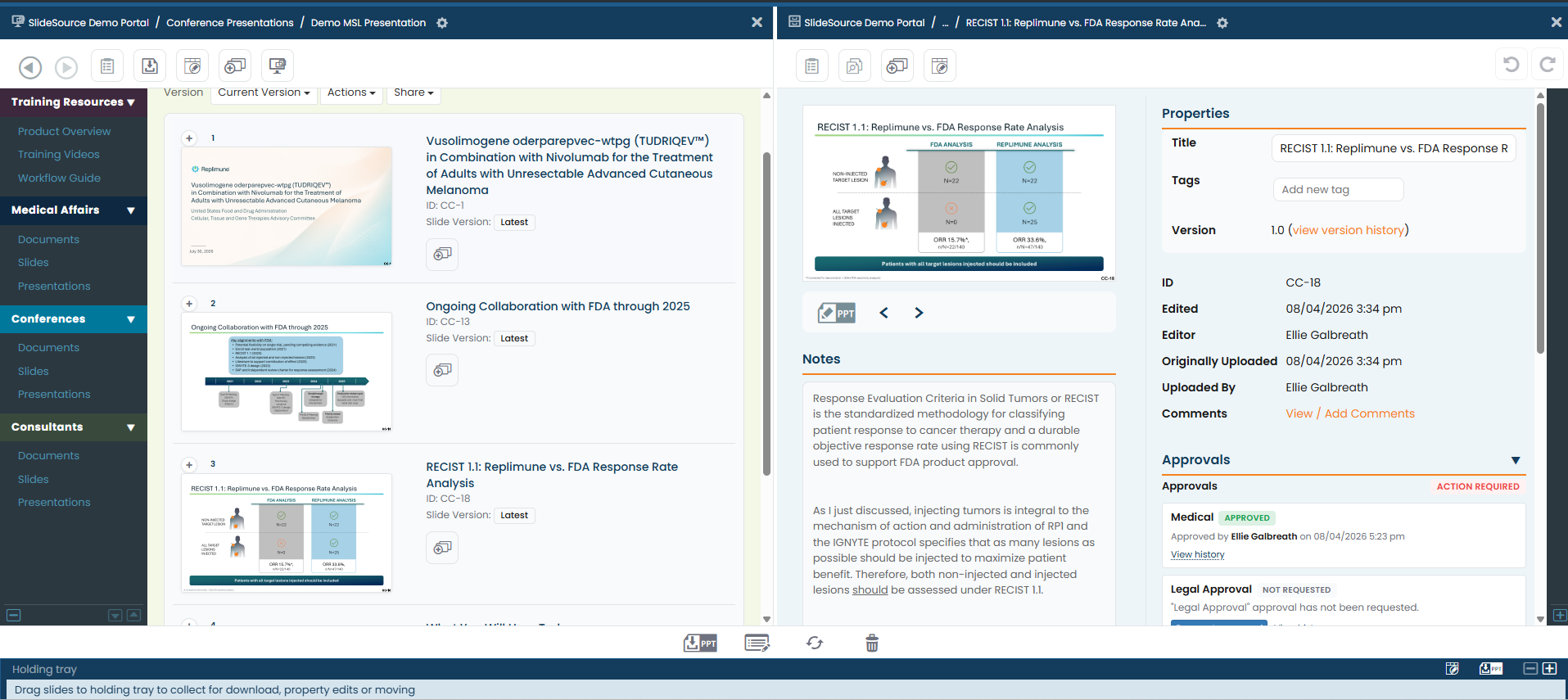
When every MSL keeps their own copies of decks, those copies quietly drift away from the approved source. After the data changes, no one knows which versions are still circulating, and the field may be presenting content that is no longer current.
A practical checklist for keeping scientific presentation content current, traceable, and defensible.
Instead of hunting through email and local folders, MSLs search one approved library and assemble exactly the deck they need, by product, indication, audience, or evidence type.
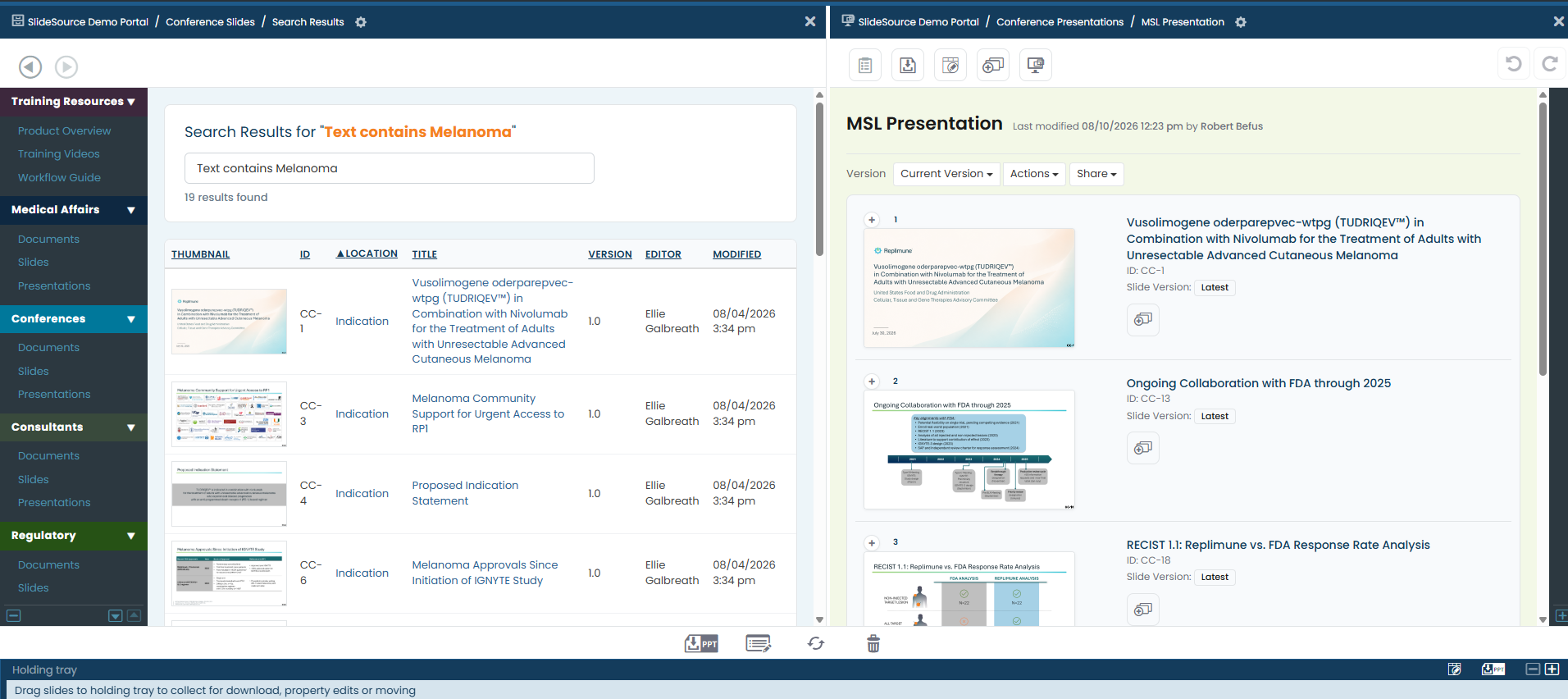
Build presentations from the approved slide pool in minutes, with sections, headers, and version control preserved.
Tailor decks by selecting approved slides for the audience in front of them. Choose the relevant sections and build an audience-specific deck from governed content, without editing claims or disconnecting slides from the approved source.
MSLs always know they are presenting the latest, approved version, not a copy that quietly went stale months ago.
Flexibility where it helps and control where it matters. Approved content stays approved, without slowing the field down.
From headquarters publishing approved content to the deck an MSL builds for tomorrow’s meeting: one governed flow.
Medical and scientific teams approve the source slides and their supporting evidence.
Find slides by product, indication, audience, evidence type, or topic.
Select the relevant approved slides and sections for the meeting in front of them.
Every slide stays connected to its approved version, so the content stays governed.
Identify downloaded decks running outdated slides after the science changes.
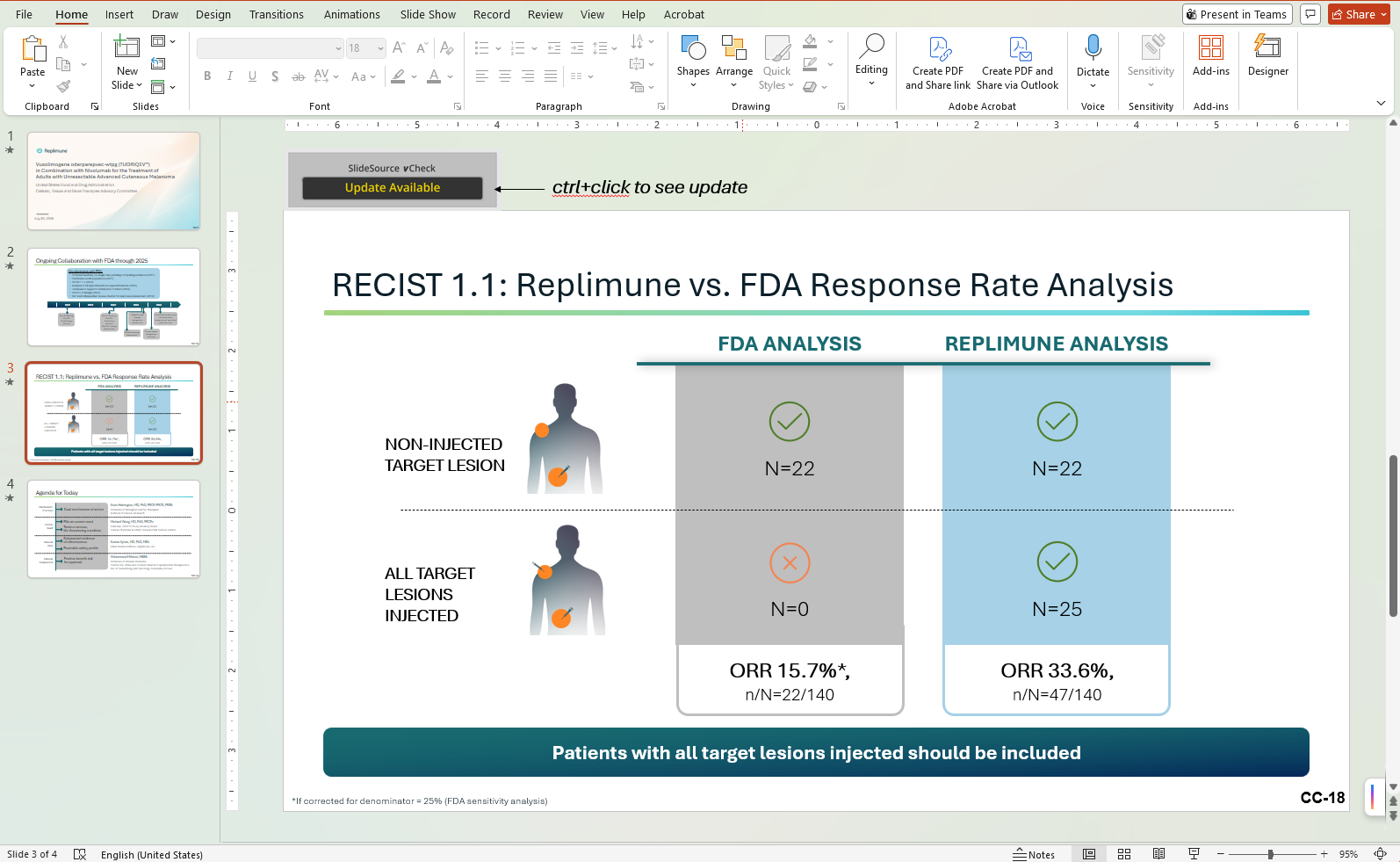
When the science changes, vCheck identifies the downloaded presentations still running outdated slides, so you can reach the right people instead of guessing which decks need to be refreshed.
Connected to Scientific CommunicationsField Medical leaders get oversight without slowing the field down, so governance and flexibility finally coexist.
Yes. MSLs and regional users can search an approved slide pool, assemble audience-specific decks, and stay confident they are using the current, approved version, all without letting local decks drift from the approved source.
Local deck drift is what happens when MSLs save personal copies of decks that slowly diverge from the approved source. SlideSource Library replaces those copies with an approved slide pool, so tailoring a deck doesn’t mean losing the link to approved content.
vCheck identifies downloaded presentations that contain outdated slides, so teams can see exactly where older versions are still in use after the science has been updated.
Yes. MSLs assemble and tailor from the approved slide pool, and each slide stays connected to its approved source and version, so the content stays governed even as the deck is customized.
Already using SlideSource Library? The guide covers how a user finds and reuses an approved slide.
See how MSLs find, assemble, tailor, and trust approved scientific content, and how vCheck keeps decks in the field current.