Conditional approvals
Require specialized review only when it’s warranted, so routine content isn’t bottlenecked while sensitive content gets the right eyes.


Capture who approved what, when, and why.
SlideSource Library routes scientific content through the reviews your organization requires and records every decision, so teams can see how content was approved and produce that history on demand.
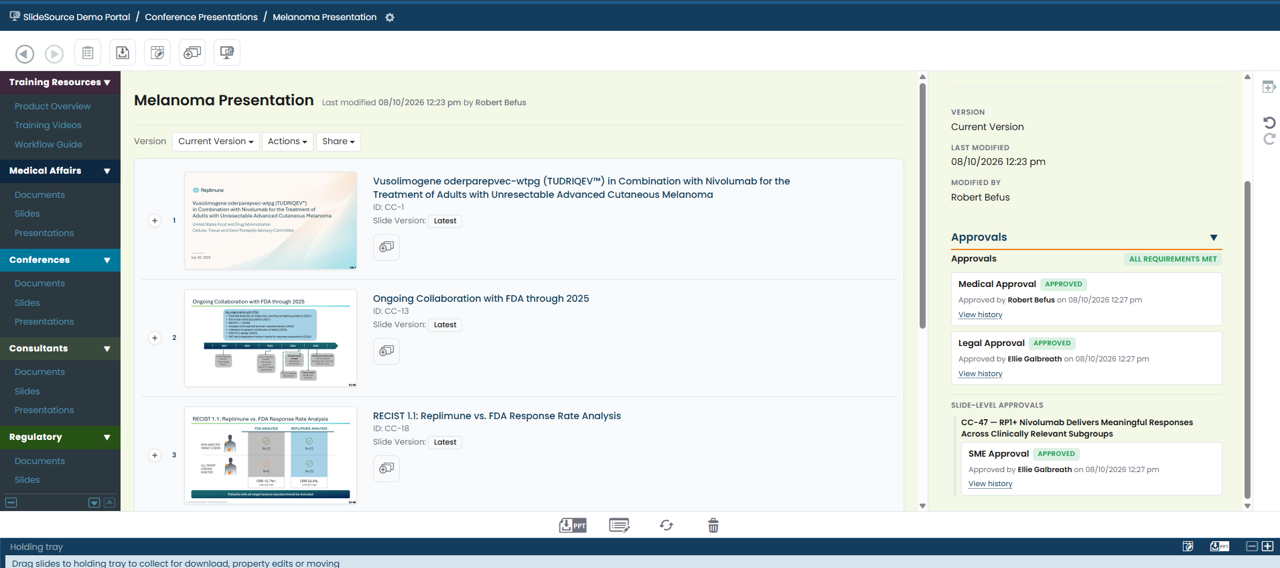
When sign-off happens over email and chat, no one can later say with confidence who approved a slide, when, or on what basis. That is exactly the question that matters most when content is challenged.
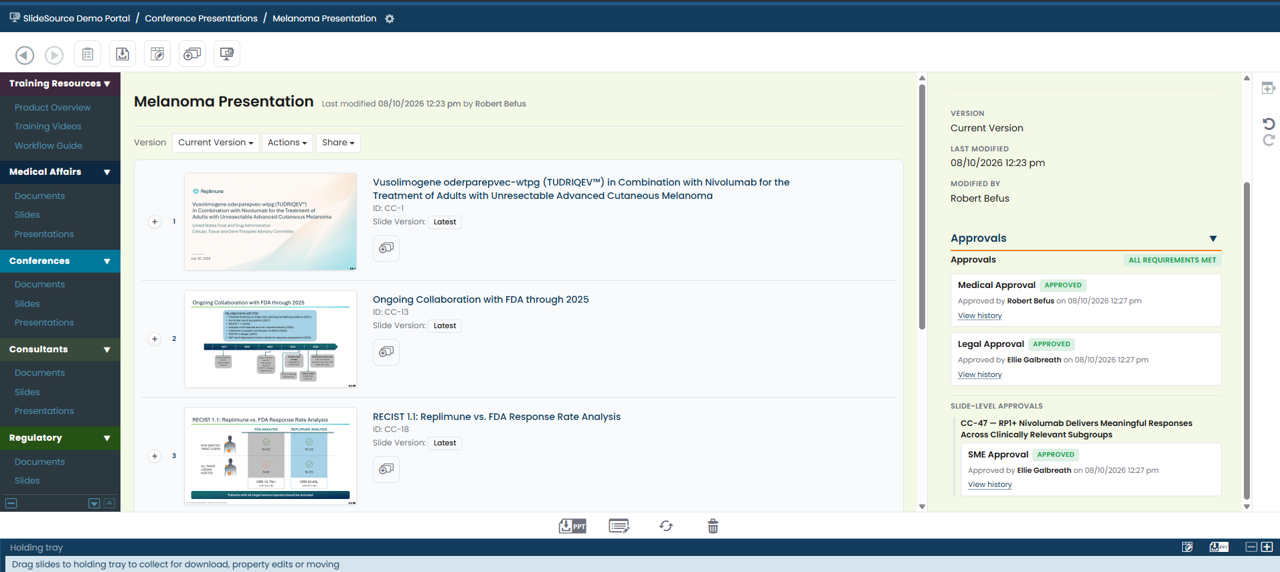
Every approval records the reviewer, the timing, and the comments behind the decision, so the history of how a slide was reviewed is captured as part of the work, not reconstructed after the fact.
A configurable path from review to sign-off to a complete, reproducible record, built around how scientific, medical, legal, and regulatory committees actually work.
Define the review you need (Scientific, Medical, Legal, Regulatory, or SME) to mirror how your committees actually decide.
Route content to the right reviewers and capture each sign-off, so approval reflects the people who actually reviewed it.
Capture who approved what, when, and with what comments: a complete record on every decision.
Review and expiration cycles per content type, with escalating alerts before evidence goes stale.
Configure the chain your committees actually use, for example:
Require specialized review only when it’s warranted, so routine content isn’t bottlenecked while sensitive content gets the right eyes.
Approvals route to a backup automatically when a reviewer is out, so nothing stalls because someone is at a congress.
Require all, or a defined quorum, of a review group to sign off, mirroring how committees actually decide.
Sign off in a defined chain, with your decision and comments captured on the record.
Move content through review without losing track of where it is or what’s blocking it.
Reconstruct who approved what, when, and on what basis, on demand.
Approval workflows are configurable for Scientific, Medical, Legal, Regulatory, and SME review, so the process can mirror how your committees decide.
Yes. Every decision captures who approved what, when, and with what comments, producing a complete and reproducible record of how content was reviewed.
Content types can carry review and expiration cycles, with escalating alerts before material goes stale, so approvals don’t silently age out of date.
Already using SlideSource Library? The guide covers how approvals are recorded and reviewed.
Schedule a walkthrough of configurable review types, multi-reviewer sign-off, and the audit trail behind every decision.